
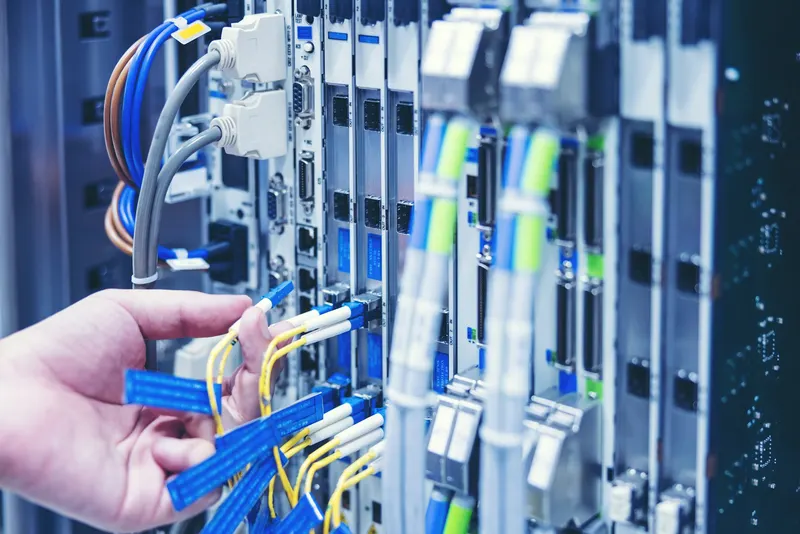
Dealing with IT problems can be frustrating and can impact how well a business runs. Knowing how to handle these issues efficiently is crucial for keeping your business operations smooth. By identifying and fixing IT problems quickly, you can minimise disruptions and keep things on track.
Finding the root cause of tech issues is the first step towards effective resolution. Once the cause is identified, applying the right solutions becomes easier. It's important to approach these problems methodically rather than jumping to conclusions.
Implementing practical and proven steps for troubleshooting can make a big difference in preventing IT problems from affecting your business. With the right approach, you can ensure your systems are reliable and your team remains productive.
Identifying the Root Causes of IT Issues
Recognising the signs of IT problems is the first step in resolving them. Frequent system crashes, slow performance, and persistent error messages often indicate underlying issues. Unresponsive applications and network connectivity problems are also red flags that should not be ignored. By paying attention to these signs early, you can prevent minor glitches from turning into major disruptions.
If you're experiencing slow performance on your PC, it's not always obvious whether the issue is hardware-related or software-based. Tools like a PC Bottleneck Calculator can help identify whether your CPU or GPU is limiting performance, giving you a clearer starting point before troubleshooting further.
A thorough inquiry is essential before jumping into problem-solving. Take the time to gather detailed information about the issue. Ask questions like when the problem started, how often it occurs, and what actions seem to trigger it. This investigative step is vital for understanding the context and scope of the issue, which helps in targeting the root cause accurately.
Using specialised tools and software can aid in identifying tech issues. Network monitoring tools, such as SolarWinds and Nagios, keep an eye on system performance and alert you to potential problems. Diagnostics software can run tests to pinpoint hardware faults or software errors. These resources enhance your problem-solving capabilities, making it easier to find and fix issues efficiently.
Troubleshooting Network Connectivity Problems
Network connectivity problems can halt business operations, but addressing them doesn't have to be complicated. Start by checking the physical connections. Ensure cables are securely plugged in and that routers and modems are powered on. A simple reboot of these devices can often resolve minor connectivity issues.
Here's a step-by-step guide to diagnosing internet issues:
1. Check All Connections: Inspect cables and ensure all devices are connected properly.
2. Restart Equipment: Power cycle routers and modems to clear temporary glitches.
3. Identify Outages: Confirm with your internet service provider if there's an outage in your area.
4. Test Devices: Use another device to see if the issue persists, isolating whether it's a device-specific problem.
Solutions for resolving Wi-Fi and ethernet problems include updating firmware on routers and adjusting router settings for better coverage. Using a Wi-Fi analyser app can help identify crowded channels and suggest better configurations for optimal signal strength. Switching to a wired ethernet connection for crucial tasks can offer more reliability and speed compared to wireless.
To maintain a stable network connection, keep network devices updated and positioned well to cover necessary areas. Regularly check for interference from other electronic devices and reposition routers to central locations when possible. By following these steps, you ensure a robust and uninterrupted connection, keeping your business online and operational.
Solving Software and Application Glitches
Software glitches can disrupt daily tasks, but understanding common errors helps in addressing them quickly. Typical software problems include freezing applications, unexpected shutdowns, and slow response times. Permissions issues or corrupted files might also cause certain software functions to fail. Restarting the program or the computer can sometimes resolve minor glitches, but more persistent problems require additional steps.
Keeping software up-to-date is crucial in preventing issues. Developers release updates to fix bugs, patch security vulnerabilities, and improve performance. Enabling automatic updates ensures you're always using the most stable version of your applications. Regularly check for updates manually if automatic updates are disabled.
Compatibility checks play a vital role in software stability. Before installing new software, verify that your system meets all the requirements, such as operating system versions and hardware specifications. Using compatibility mode in Windows or similar features on other operating systems can help resolve conflicts if the software is not directly compatible with your current setup. These practices ensure that software runs smoothly, reducing the likelihood of experiencing major problems.
Managing Hardware Failures and Malfunctions
Hardware failures can cause significant downtime, but identifying issues early can minimise the impact. Common hardware problems include overheating components, unresponsive peripherals, and damaged cables. Listening to unusual noises, like grinding or clicking, can also alert you to possible failures. Regular maintenance routines, such as dusting and ensuring proper ventilation, help keep hardware healthy.
To fix hardware problems, start by diagnosing the issue. Swap out suspected faulty components with working ones to isolate the faulty piece. For example, testing with a different power cable or monitor can quickly identify if these components are the root of the issue. If simple swaps don't work, using diagnostic tools provided by the device manufacturers can offer additional insights.
Deciding when to repair or replace hardware requires careful consideration. If a component frequently fails or significantly impacts productivity, replacement might be the most cost-effective solution. Compare repair costs with replacement expenses to determine the best option. By actively managing hardware health, businesses can ensure reliable operations and minimise downtime.
Conclusion
Handling IT problems in a structured way keeps your business running smoothly and efficiently. Whether addressing software glitches or managing hardware reliability, proactive steps can mitigate disruptions and improve overall performance. Regular system checks and updates lay a foundation for preventing issues before they escalate. By understanding these common IT problems and having effective solutions in place, businesses can enhance their operational stability and productivity.
For personalised business IT support in Melbourne that ensures your business thrives, contact Tech Seek. Our team specialises in keeping your systems running efficiently, helping you tackle any IT challenges with ease. Partner with Tech Seek to empower your business with reliable and effective IT solutions you can trust.
Need a hand with this in your business? Tech Seek provides local, in-house IT support for Melbourne small businesses since 2006.
Talk to our team